
Quick Assist Setup Reference.

A detailed reference guide to set up Quick Assist so the Tech Support can connect with your system and provide assistance. Quick Assist is a Windows built-in utility that provides assistance without compromising your privacy and the need to install any third-party application. Quick Assist steps are the same for both Windows 10 & 11.

Below are the steps to enable tech support to provide you with remote assistance quickly.

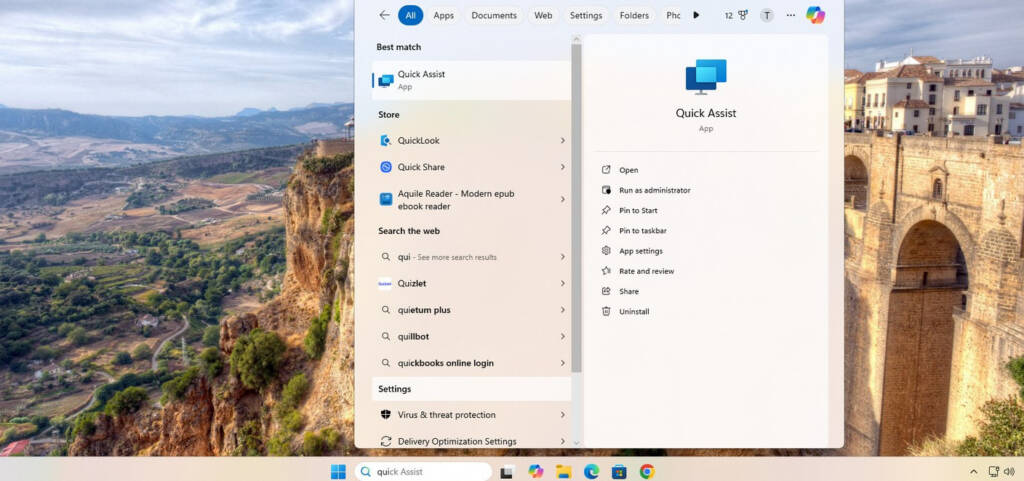
  1. Go to the start menu on your Windows and type Quick Assist. An application will appear. Open the Quick Assist app.
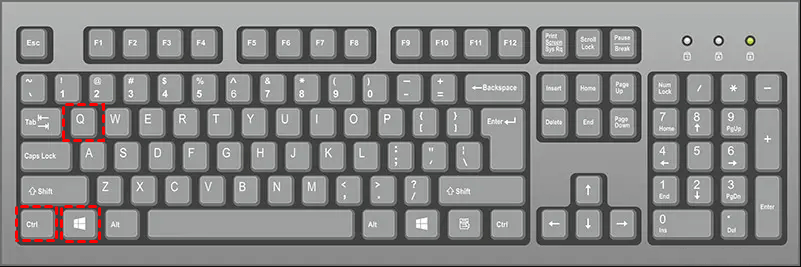
  2. For shortcut key use  (CTRL + Windows + Q) to open the Quick Assist window directly.
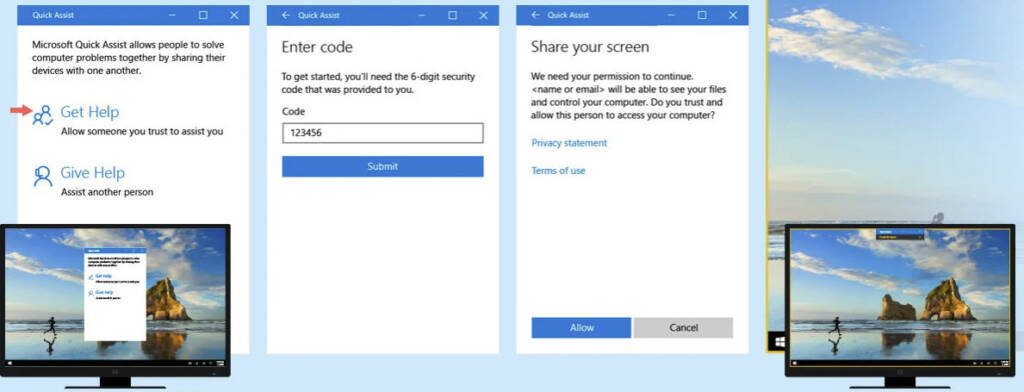
  3. Click on “Get Help” to receive remote assistance from our tech support team.
  4. The tech support will provide the code to enter 
  5. Allow the technician’s remote connection request so the tech support can connect to the system.